10 Best Cable Connectors for Reliable Connections
Reliable electrical and data links depend on more than a tight fit. The right cable connectors must match the cable type, conductor size, current rating, and installation environment. A connector designed for a dry indoor panel may not withstand vibration, moisture, or repeated movement. Check the manufacturer’s specifications, especially for wire gauge, temperature limits, and compatible mating parts.
In a workshop, details matter: a crimp should hold each strand firmly, while a locking tab should engage without forcing the housing. Loose contacts can cause intermittent signals or excess heat. Small mistakes are easy to miss. A polished exterior does not prove that a connection is sound, and even quality parts can fail when installed incorrectly. That deserves a second look.
This guide reviews 10 cable connectors suited to different practical needs, from quick equipment hookups to more secure fixed installations. It considers connection style, ease of assembly, durability, and compatibility rather than treating one option as best for every job. Where relevant, the guide highlights trade-offs, such as tool requirements, limited reuse, or added protection against dust and moisture. Always confirm ratings against the product datasheet and the actual operating conditions. Before installation, disconnect power when appropriate and follow the manufacturer’s instructions. A careful choice helps, but inspection and correct assembly remain essential.
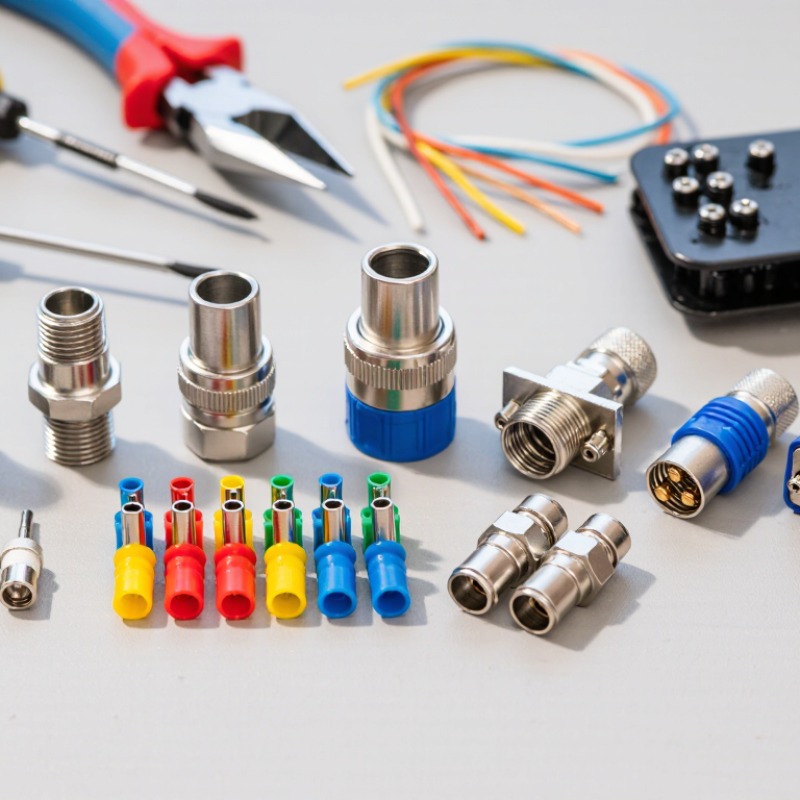
Cable Connector Basics and Their Role in Reliable Connections
A cable connector joins conductors while keeping their contact points aligned and protected. Its role goes beyond making two cable ends meet. Inside the housing, metal contacts carry the signal or power; the outer shell helps prevent movement, accidental contact, and, in some designs, electrical interference. Locking tabs or threaded collars can keep a connection secure when cables are bumped or pulled. Small details matter.
Choosing a connector starts with matching it to the cable, current, voltage, signal type, and surroundings. A connector made for a thin signal wire may not suit a high-current cable. Check contact size, wire gauge, temperature range, and any stated resistance to moisture or dust. In a hands-on inspection, look for fully seated conductors, even crimping, and a latch that closes without force. A loose contact can cause intermittent operation or heat, even when the outside looks fine. I would not assume a connector is reliable just because it fits; compatibility charts and a gentle pull test are useful, though neither replaces the maker’s installation instructions. There is room for error. A rushed assembly can leave insulation trapped under a contact, or expose too much bare wire.
Key Factors for Selecting the Right Cable Connector
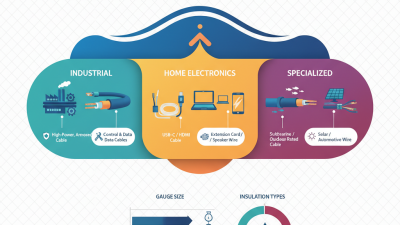
Choosing a cable connector starts with the cable itself. Check conductor size, strand type, and the connector’s approved wire range. A terminal that grips thin wire poorly may loosen under vibration. One that is too small can damage strands during assembly. Fit matters. Also compare the connector’s current and voltage ratings with the equipment’s requirements, including expected temperature. Do not rely on appearance alone; similar-looking connectors can have different limits.
The installation environment matters just as much. For outdoor or damp locations, verify the stated ingress protection and use compatible seals. In machinery, look for a secure locking mechanism and resistance to vibration. Check how the connector terminates: screw clamps, crimp contacts, and solder joints require different tools and skills. Small details count. I have learned to pause over service access, too; a connector that works perfectly on a bench can be awkward to reach inside a crowded enclosure. Review the cable and connector datasheets together, then inspect a sample assembly for exposed strands, uneven crimping, or a loose fit. Sometimes the simplest option is not the easiest to maintain.
10 Best Cable Connectors for Reliable Connections
Key Factor: Ingress Protection (IP) Rating
Compare the first IP digit for protection against solid objects and dust, and the second for protection against water. Higher digits indicate a higher level of protection within that category. IPX7 and IPX8 describe different immersion conditions; an IPX8 rating depends on conditions specified by the manufacturer. Choose a connector rating suited to its installation environment.
Ten Leading Cable Connector Types and Their Uses
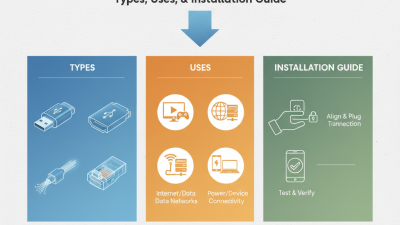
A reliable connection starts with matching the connector to the signal and setting. USB-C carries data and power, and some versions also support video; capabilities vary by cable and device. HDMI sends digital audio and video between screens and source equipment. RJ45 connectors terminate twisted-pair Ethernet cables used for network links.
Fit matters. F-type connectors screw onto coaxial cable for television and broadband systems. BNC connectors use a quarter-turn bayonet lock, making them useful for video equipment and test instruments.
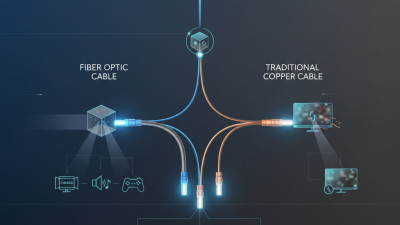
RCA connectors commonly carry analog audio or composite video, while XLR connectors are used for balanced audio and typically latch in place. For loudspeakers, locking Speakon-style connectors help prevent accidental pullout on stage. LC fiber connectors have a compact form suited to dense network panels; SC connectors use a larger push-pull housing.
Check the latch. Even a correct connector can fail if its contacts are dirty, its cable is sharply bent, or strain pulls at the termination. A connector that feels snug is not always making a sound electrical or optical connection, so inspect the fit and test the link after installation. Not every setup is neat; label both ends before cables disappear behind equipment.
How to Match Connectors with Cables and Equipment
Choosing a cable connector starts with the cable and equipment port, not the connector’s appearance. Check the interface type, pin count, and dimensions; similar-looking plugs may not mate correctly. Then match electrical ratings: voltage and current for power, and impedance or frequency range for signal cables. A connector that fits can still cause heat, signal loss, or intermittent operation. Fit is not enough. Also confirm the cable’s conductor size and insulation diameter suit the connector terminals and clamp. For outdoor or vibrating setups, check sealing, corrosion resistance, and strain relief.
Tips: Photograph the port and read the equipment documentation before ordering. Leave a little cable slack, and verify polarity or pinout with a meter when appropriate. Small details matter.
One easy-to-miss detail is keying: a keyed connector may look compatible but only fit in a particular orientation. Check the cable’s termination method, too; screw terminals, crimp contacts, and solder cups require different preparation. In practice, matching is a checklist, not a guess. I’d still double-check the specification sheet, especially when replacing an older connector, since labels can be incomplete or worn. A careful match helps prevent loose connections and avoids forcing parts that were never designed to work together.
Installation and Maintenance for Reliable Connections
Reliable connections start with matching the connector to conductor size, insulation, and operating environment. A crimp connector needs the correct die and a firm, even compression. Screw terminals need cleanly stripped wire, with no stray strands outside the clamp. Small details matter.
Before installation, isolate the circuit and confirm it is safe to handle. Check the connector’s rated wire range and temperature limits. Strip only the length specified by its instructions; exposed copper should not extend beyond the terminal. Use the recommended tool, since improvised pliers can deform a connector without making a dependable joint. Avoid excessive tightening, which may damage threads or squeeze stranded wire unevenly. It is easy to mistake “tight” for “secure.”
After fitting, gently tug each conductor and check that insulation remains supported. Add strain relief where cables might flex, rub, or hang under their own weight. In damp or dusty locations, use connectors designed for those conditions and close their seals carefully.
During maintenance, look for looseness, corrosion, cracked insulation, or heat discoloration. A connector can look fine from the outside, so inspection alone cannot confirm every hidden contact is sound. Replace damaged parts, and revisit the installation method if the same fault returns.