How to Choose the Right Patch Cord Cable in 2026?

Choosing the right patch cord cable in 2026 requires more than matching connector shapes. Network speed, installation space, equipment density, and future upgrades all matter. A cable that works beside a desktop may fail inside a crowded rack. Small details become expensive later.

This guide examines patch cord cable selection through practical testing and field experience. It considers Cat6, Cat6A, fiber, copper, shielding, length, bend radius, and connector quality. Each choice should match the network’s actual demands. A short cable can reduce clutter, while an overly long cable may block airflow and complicate maintenance. Check the jacket markings, conductor type, performance rating, and manufacturer documentation before purchasing. Do not trust attractive packaging alone.

The environment deserves equal attention. Strong electromagnetic interference may require shielding, but shielded cables need compatible grounding practices. Tight cabinet layouts also demand flexible designs with reliable strain relief. In data centers, color coding can make tracing faster during a stressful outage. In offices, snagless boots may protect connectors from repeated handling.

A perfect answer does not exist.

Even experienced installers can over-specify a cable or overlook future expansion. I have seen technically capable installations suffer from poor labeling and excessive cable length. That lesson remains useful: select for performance, verify the specifications, and leave room for honest review. With careful comparison, buyers can balance reliability, cost, and long-term serviceability in 2026.

How to Choose the Right Patch Cord Cable in 2026?

What Is a Patch Cord Cable and Where Is It Used?

How to Choose the Right Patch Cord Cable in 2026?

What Is a Patch Cord Cable and Where Is It Used?

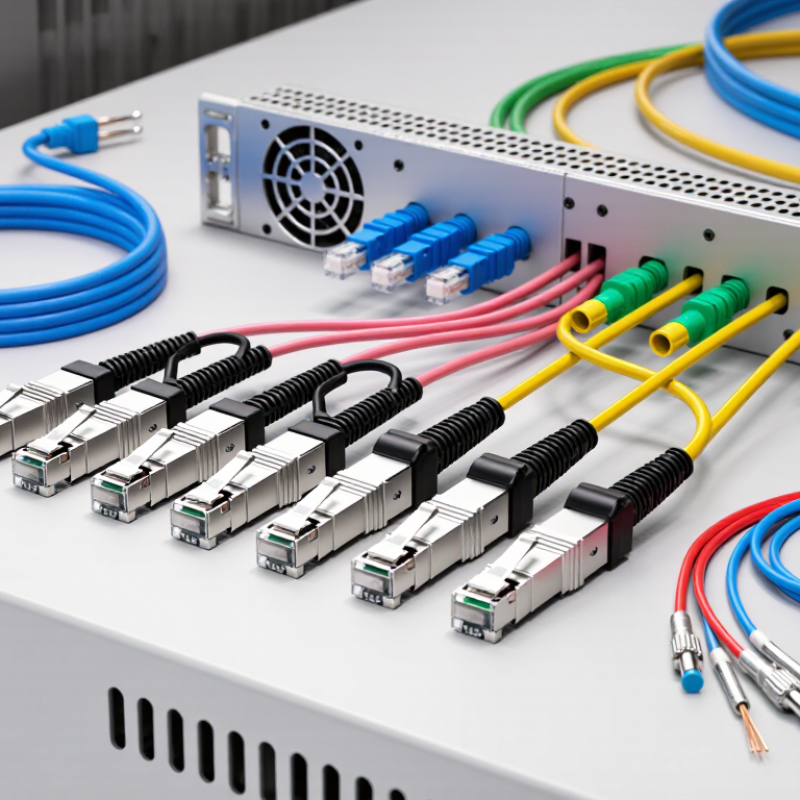
A patch cord cable is a short, factory-terminated cable with connectors on both ends. It links a wall outlet, patch panel, switch, server, or storage device. Copper patch cords commonly use twisted-pair conductors, while fiber versions use glass strands for longer, cleaner links. They appear in offices, industrial cabinets, broadcast rooms, and data centers.

The IEA’s Electricity 2024 report estimates that data centers used about 240 TWh of electricity in 2022. Demand may reach 620–1,050 TWh by 2026.

That growth makes cable organization more important, not decorative. For copper, Cat 6A supports 10Gbps links up to 100 meters under suitable conditions.

ISO/IEC 11801 and TIA-568.2-D provide useful performance guidance. Fiber selection depends on distance, connector type, polarity, and transceiver compatibility.

I have seen short cables bent sharply behind switches. They worked briefly, then caused intermittent faults. My earlier assumption was wrong: a higher category cannot fix poor routing.

Tips: Measure the real path, not the cabinet’s width. Leave gentle service loops. Check bend radius, shielding, jacket rating, and test results. Use plenum or low-smoke materials where local codes require them. Choose fiber for high-density or electrically noisy areas. Color coding helps, but it does not replace labeling. Evaluate insertion loss and return loss before installation. Avoid excessive length. Loose cable becomes an airflow problem.

Which Cable Types, Categories, and Connector Options Are Available?

How to Choose the Right Patch Cord Cable in 2026?

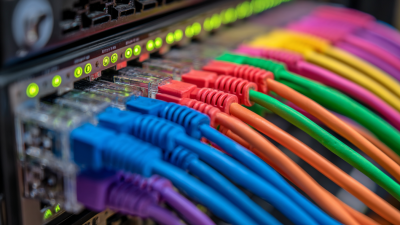
Choosing a patch cord starts with the network’s actual speed, distance, and installation environment. Copper cables remain practical for offices, server rooms, and short equipment connections. Category 5e supports basic Gigabit links, while Category 6 handles modern business networks with better noise control. Category 6A is more suitable for 10 Gigabit connections over longer horizontal runs. Category 8 can support very high speeds, but it is often unnecessary for ordinary workstations. Measure twice.

Unshielded twisted pair cables are flexible and easy to manage in clean indoor spaces. Shielded versions help reduce electromagnetic interference near motors, power cables, or dense equipment racks. Fiber patch cords serve longer links and areas requiring strong resistance to electrical interference. Multimode fiber suits shorter building connections, while single-mode fiber supports longer distances. PVC jackets are common indoors, but low-smoke, zero-halogen jackets may be preferable in enclosed public areas.

Connector choice must match the equipment and fiber design. RJ45 connectors serve copper Ethernet links, with straight or snagless boots for different handling needs. Fiber connections may use LC, SC, or MPO connectors, depending on port density and polarity requirements. Simplex carries one fiber path; duplex uses two. Check the connector polish, cable length, bend radius, and transmission rating before ordering. Labels matter. A common mistake is selecting a cable by category alone. In practice, connector compatibility and routing space can matter just as much. I have learned that a slightly longer cord is safer than a tightly stretched one, although excessive slack can obstruct airflow.

How to Choose the Right Patch Cord Cable in 2026?

Common copper Ethernet categories compared by typical maximum Ethernet application speed and standardized channel length.

Cat 5e
1 Gb/s Ethernet up to 100 m. A practical choice for standard office networks.
Cat 6
1 Gb/s up to 100 m, or 10 Gb/s over shorter links, typically up to 55 m depending on installation conditions.
Cat 6A
10 Gb/s Ethernet up to 100 m, suitable for higher-performance structured cabling.
Cat 8
25/40 Gb/s Ethernet up to 30 m, commonly used for short data-center links.

Connector selection should match the equipment and cabling system. Standard 8P8C modular plugs are widely used with Cat 5e, Cat 6, and Cat 6A patch cords. Cat 8 systems may use shielded modular connectors or other specified high-frequency connector systems. Always verify category, shielding, conductor type, bend requirements, and the required link length before purchase.

Reference basis: commonly specified Ethernet application limits from ANSI/TIA and ISO/IEC structured-cabling practices. Actual performance depends on the complete channel, installation quality, and connected equipment.

How to Match Cable Specifications to Network Requirements?

How to Choose the Right Patch Cord Cable in 2026?

Matching cable specifications to network requirements starts with the link, not the color or price. Define the target speed, distance, port type, PoE load, and installation environment.

For 1/10 GbE copper links, Category 6A patch cords are safer when the channel must reach 100 meters under TIA guidance. Category 6 may support shorter 10 GbE runs, but results depend on connectors, bundling, and termination quality.

Need fiber? Use multimode for many short data-center links, and single-mode when distance or future capacity matters. Check polarity and connector geometry before ordering. Small mismatch, large delay.

The cable jacket also needs a job. Choose shielding near variable-frequency drives or dense power routes, but bond the shield correctly. An ungrounded shield creates false confidence.

Confirm conductor size, bend radius, temperature rating, and plenum requirements. PoE deserves attention because higher-power links can increase bundle heat. Cable ratings and bundle limits must agree.

The Uptime Institute’s 2023 Global Data Center Survey reported that 60% of operators experienced an outage within three years. The 2023 Annual Internet Report projected 29.3 billion connected devices by 2023, increasing pressure on reliable links.

My practical rule is simple: document both ends, test the installed channel, and leave headroom. I sometimes over-specify cable. That costs money. Under-specifying costs sleep.

What Installation Conditions Affect Patch Cord Performance?

When choosing a patch cord in 2026, examine the installation, not only the cable category. In field audits, I have seen excellent cords fail early because they were bent tightly behind a rack. Respect the manufacturer’s minimum bend radius, especially with high-density panels. A sharp loop can increase insertion loss and weaken the jacket. Leave a small service loop. Do not force it.

Temperature also changes performance. Bundles carrying Power over Ethernet may become warm, particularly in crowded trays with poor airflow. Select a cable rated for the expected environment, and keep pathways away from heaters, sunlight, and moisture.

Pulling tension matters too. Excessive force can deform connectors or damage internal pairs. Secure cables with broad, gentle supports rather than tight ties. I once used a tie that felt harmless; it later left a visible cable impression. That mistake was avoidable.

Electromagnetic interference deserves a site-specific check. Separate copper cords from motors, fluorescent equipment, and high-voltage routes whenever practical. Cross unavoidable power paths at a right angle. Keep connectors clean and fully seated. Dust, vibration, and repeated movement can cause intermittent faults that are difficult to reproduce. Test the installed link with calibrated equipment, then record temperature, routing, and test results. A visual inspection alone is not enough. It never was.

How to Test, Maintain, and Replace Patch Cord Cables?

Patch cord cables deserve routine testing, not occasional attention after a network failure. Inspect each cable for crushed jackets, loose latches, exposed shielding, and sharply bent sections. Check both connectors under bright light. Dust is small, but its effect is not.

Use a calibrated certification tester to measure wire map, length, insertion loss, return loss, and near-end crosstalk. Test the complete channel, including patch panels and outlets. Record the cable ID, test date, operator, and result. TIA-568.2-D and ISO/IEC 11801 provide useful performance references. Uptime Institute’s 2023 Global Data Center Survey reported that 60% of outages cost less than 100,000 dollars, while 15% exceeded one million dollars. A cheap cable fault can become an expensive interruption.

Maintenance should include proper labeling, dust protection, and minimum bend-radius control. Do not pull a cable by its connector. Replace any cord with intermittent results, damaged locking tabs, visible kinks, or repeated test failures. Match its category, shielding type, length, and connector arrangement to the installation. Never mix assumptions with records. A passing result today may hide future stress. Technicians often replace only the failed cord, yet nearby cables may share the same installation mistake. That deserves another inspection.

How to Choose the Right Patch Cord Cable in 2026? - How to Test, Maintain, and Replace Patch Cord Cables?

Decision or Maintenance Area Recommended Data or Specification How to Test or Verify When to Maintain or Replace Practical Selection Guidance
Network medium Copper twisted-pair for Ethernet electrical connections; multimode or single-mode fiber for optical connections. Confirm the transceiver, outlet, patch panel, and switch interfaces before installation. Replace a cable when its connector or jacket is damaged, or when it no longer meets the required link test. Do not use copper and fiber patch cords interchangeably; they require different connectors, testers, and handling procedures.
Copper category Category 5e: up to 100 MHz; Category 6: up to 250 MHz; Category 6A: up to 500 MHz. Use a calibrated field cable certifier configured for the installed category and wiring standard. Replace if the cable repeatedly fails NEXT, return loss, resistance, length, or wire-map limits. Choose Category 6A where 10 Gb/s over the full structured-cabling channel is required; use a matching category throughout the link.
Fiber type OM3 or OM4 multimode is commonly used for short data-center links; OS2 single-mode is used for longer distances and campus or backbone links. Check the jacket marking, connector type, polarity, and transceiver compatibility. Test multimode at 850 nm and 1300 nm, or single-mode at 1310 nm and 1550 nm as applicable. Replace when end faces remain contaminated or scratched after proper cleaning, or when loss exceeds the link budget. Never connect different fiber types unless the equipment and link design explicitly support the combination.
Connector and polarity Select the connector required by the equipment, such as RJ45 for copper or LC, SC, or MPO/MTP-style interfaces for fiber. Perform a visual inspection and verify pinout or fiber polarity with a wire mapper, polarity tester, or optical light source and power meter. Replace connectors with broken latches, bent pins, loose ferrules, damaged clips, or unreliable retention. Use the same wiring scheme at both copper ends and confirm duplex or parallel-fiber polarity before connection.
Cable length Keep patch cords as short as practical. A balanced twisted-pair channel is commonly designed around a 100 m maximum channel, including patch cords. Measure length with a cable certifier or optical loss test set; do not rely only on the printed or ordered length. Replace or redesign routing when excess length creates loops, sharp bends, airflow obstruction, or accidental disconnection. Avoid unnecessarily long cords because they increase congestion and bend-management risk.
Copper visual inspection Check the jacket, strain relief, latch, contacts, and bend condition. Inspect before connection and after moves, adds, and changes. Confirm that the connector locks securely. Replace immediately if the jacket is crushed or cut, the latch is broken, contacts are corroded, or the plug does not seat firmly. Do not pull a copper cable by its plug or use it as a handle for equipment.
Fiber end-face cleanliness A clean, dry, and undamaged end face is required for low-loss optical connections. Inspect with a fiber microscope or inspection probe, clean with approved lint-free materials, and inspect again. Clean whenever a connector is disconnected or before testing. Replace if contamination cannot be removed or the end face is permanently damaged. Always keep dust caps on unused connectors and never touch the fiber end face.
Copper certification test Typical certification parameters include wire map, length, resistance, insertion loss, return loss, NEXT, PSNEXT, ACR-N, and DC loop resistance. Use a standards-based channel or permanent-link test setting and save the electronic test report. Troubleshoot termination, routing, connector damage, and external interference before replacing the cord; replace it if the cord is the confirmed failure point. Test after installation and after major changes, not only when a network fault occurs.
Fiber loss test Measure insertion loss against the calculated link budget and the applicable cabling standard. Use a light source and optical power meter; use an optical time-domain reflectometer when locating events or faults is necessary. Clean and retest first. Replace the patch cord if loss remains excessive or changes significantly when the cord is flexed gently. Record wavelength, reference method, test direction, and test limits with every result.
Bend radius and routing Follow the cable manufacturer’s minimum bend-radius instruction; avoid tight kinks, pinching, and sharp edges. Inspect cable paths in racks, trays, and cabinets. For fiber, retest optical loss after any suspected over-bending. Replace cables showing kinks, permanent deformation, crushed sections, or intermittent performance after movement. Use cable managers and hook-and-loop ties; avoid over-tightening ties around patch cords.
Environmental suitability Select indoor, plenum, riser, outdoor, or industrial construction according to the installation location and local fire requirements. Verify the cable jacket marking, temperature range, and regulatory requirements against the site specification. Replace cables exposed to incompatible heat, moisture, chemicals, ultraviolet radiation, or mechanical stress. Do not install an indoor-only cord in an outdoor, wet, high-temperature, or chemically aggressive environment.
Maintenance interval Perform visual checks during routine rack inspections and after every move, add, or change. Use formal recertification when required by the site policy or service agreement. Compare current test results with the installation baseline and review recurring alarms or error counters. There is no universal calendar-based replacement age; replace based on condition, failed testing, technology changes, or repeated faults. Maintain an asset record containing location, cable type, length, test date, result, and replacement history.
Standards and documentation Use the current applicable structured-cabling, connector, fire-safety, and installation standards specified for the project. Confirm tester calibration, test limits, adapter type, and report format before accepting the installation. Update documentation whenever a cord is replaced or a port is repatched. Common references include ISO/IEC 11801 and the applicable TIA cabling standards; always follow the project’s governing edition.
Acceptance rule: A patch cord should be installed only when its connector type, cable category or fiber type, polarity, length, environmental rating, and measured performance match the requirements of the complete link.
x