Choosing an optic cable is not simply a matter of selecting the fastest product. Buyers need to match cable construction, fiber type, and installation conditions to the job. A data center may need compact, high-density connections, while a factory floor may require jackets that withstand abrasion and vibration. Outdoor routes bring other concerns, including moisture, temperature changes, and pulling distance.
The differences can be easy to miss on a product sheet. Single-mode and multimode cables serve different transmission needs; armored, aerial, and direct-burial designs address different environments. Loose-tube, tight-buffered, ribbon, and bend-insensitive constructions also affect installation and maintenance. Even small details matter. Connector compatibility, fiber count, jacket ratings, and documented test results can prevent costly delays after delivery. Shortcuts rarely help.
This guide introduces ten common optic cable types and explains where each may fit, what to check, and which trade-offs deserve attention. It is intended as a practical starting point, not a substitute for project specifications or advice from a qualified network professional. Product names and ratings can vary between suppliers and regions, so verify datasheets and local requirements before purchasing. There is no universal winner. That may sound obvious, but it is often the detail buyers overlook when comparing quotes.
Optic cables carry information as pulses of light through thin glass or plastic fibers. Unlike copper cables, they do not send electrical signals along the core. A cable’s performance depends on the fiber, its protective layers, and the conditions of installation. Small details matter.
Single-mode fiber has a narrow core and carries light along a direct path, making it suitable for long-distance links. Multimode fiber has a wider core, where light can travel along several paths. It is commonly used over shorter distances, such as inside buildings.
That distinction sounds simple. It isn’t always. Distance, equipment, and required capacity all affect the choice.
Cable construction also changes how a fiber handles real-world conditions.
Tight-buffered designs protect each fiber closely and are often practical indoors. Loose-tube designs leave fibers inside protective tubes, helping manage moisture and temperature shifts outdoors.
Armored cables add a tougher layer for routes exposed to crushing or rodents, but they may be heavier and harder to install.
Simplex cables contain one fiber; duplex versions contain two, often supporting two-way communication.
Check bend radius, jacket rating, and connector compatibility before ordering. A chart alone can mislead: the right design depends on the route, and installation plans sometimes change.
Single-mode cable carries light over long distances with low signal loss, making it common in metro and backbone links. Multimode cable suits shorter runs, such as connections between equipment in a data room. Distance matters. Simplex cable has one fiber for one-way transmission, while duplex cable pairs fibers for simultaneous two-way communication.
Tight-buffered cable has a protective coating around each fiber and is easier to handle indoors. Loose-tube cable places fibers inside protective tubes, helping manage moisture and temperature changes outdoors. Ribbon cable arranges fibers in flat rows, allowing many connections in a compact space. Armored cable adds a protective layer against crushing or rodents, but its weight and grounding needs deserve attention.
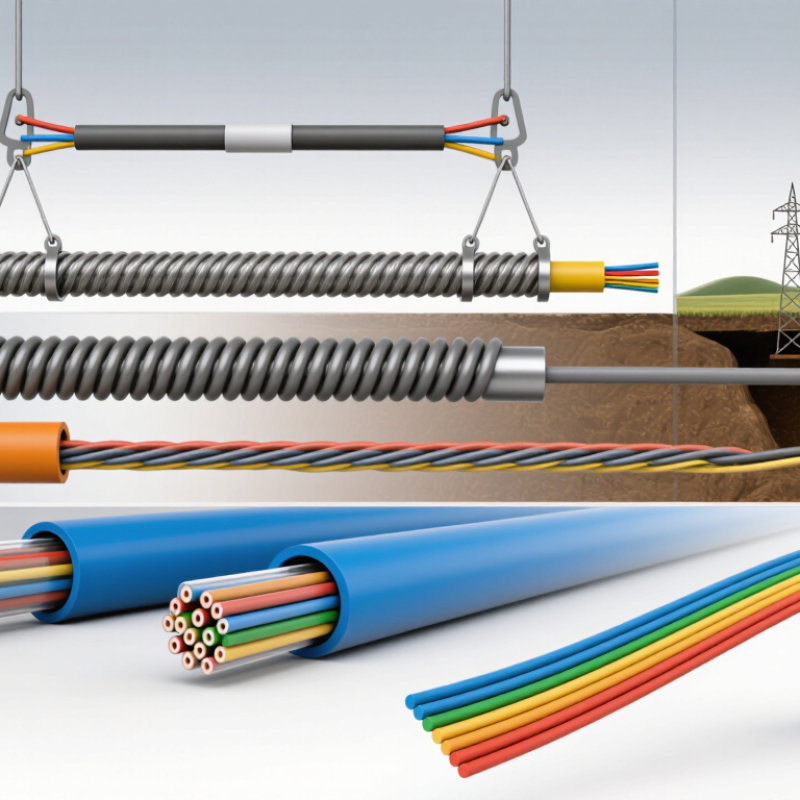
ADSS cable is self-supporting for aerial routes, while direct-burial cable is built for installation underground. These are ten useful types, though categories can overlap: an outdoor cable may also be armored. Match the design to distance, environment, fiber count, and connector plan. Check the route. A common planning mistake is choosing by price alone; installation access and repair difficulty can matter just as much. Verify the product specifications rather than assuming every cable in a category performs identically.
The Top 10 Optic Cable Types and Their Key Features
Standardized 10 GbE reach by fiber grade
This chart compares typical maximum link lengths for 10GBASE-LR over OS2 single-mode fiber and 10GBASE-SR over multimode fiber. The logarithmic scale makes the large difference in reach easier to view. Actual reach depends on the transceiver and link design.
Common optic cable types and constructions include OS2 single-mode, OM1, OM2, OM3, OM4, OM5, simplex, duplex, ribbon, and armored cable. These labels describe different fiber grades or cable constructions, so their features are not all directly comparable.
Optic cable types are chosen for distance, capacity, installation conditions, and the equipment at each end. Single-mode fiber is common on long-haul routes between cities and across campuses, where signals must travel far with low loss. Multimode OM3 and OM4 often serve data-center links between racks; OM5 can support multiple wavelengths over multimode fiber. Distance matters. Older OM1 and OM2 cables may remain in existing buildings, but they can limit upgrades.
Cable construction also affects the job. Simplex fiber carries a signal in one direction, while duplex cable supports two-way links between switches. Tight-buffered cable is convenient for indoor runs and patching. Loose-tube designs protect fibers from moisture and temperature changes outdoors. Ribbon cable groups many fibers into a flat arrangement, helping crews handle dense backbone routes, though it may not suit every pathway.
The route itself can decide the type. Armored cable adds protection in exposed areas, while direct-burial cable is designed for underground installation. Aerial cable runs between poles; ADSS versions can be installed without a separate support messenger. No type is perfect. A cable that works well in a dry equipment room may be a poor choice in a damp duct, so check connector compatibility, bend radius, and installation conditions before ordering.
Top 10 Types of Optic Cable for Global Buyers
When comparing single-mode, multimode, armored, ribbon, and aerial cable, match construction to route conditions and equipment. Check fiber category, core count, operating wavelength, attenuation, and maximum pulling tension. These figures affect reach, capacity, installation effort, and repair planning. ITU-T Recommendation G.652 sets a useful benchmark: compliant single-mode fiber can have maximum attenuation of 0.4 dB/km at 1310 nm and 0.3 dB/km at 1550 nm. Confirm the exact limits and test method in the supplier’s datasheet; product values vary.
For outdoor routes, compare jacket material, water-blocking design, crush resistance, and temperature range. A cable crossing a damp utility duct needs different protection from one suspended between poles. Ask for test reports covering attenuation, tensile loading, and environmental performance, not just a general compliance statement. TeleGeography’s 2024 Global Internet Geography report recorded 29% growth in international bandwidth demand during 2023, underscoring why buyers should assess both current fiber count and room for future upgrades. Capacity planning is easy to misjudge.
Tips: Request a sample datasheet and reel-length tolerance before ordering. Check connector compatibility, packaging, and traceable test results. I would also verify bend-radius requirements against the actual installation path; this detail is sometimes overlooked.
| Cable Type | Typical Fiber Type | Typical Construction | Common Use | Key Specifications to Compare | Installation and Environment | Sourcing Considerations |
|---|---|---|---|---|---|---|
| Single-Mode Cable | OS2 single-mode fiber; commonly 9/125 µm nominal core/cladding dimensions | Available in indoor, outdoor, loose-tube, tight-buffered, and armored designs | Long-distance telecom, access networks, campus links, and data-center interconnects | Fiber standard and attenuation; operating wavelength; fiber count; cable diameter; tensile load; bend performance | Choice of indoor or outdoor jacket and construction depends on route and local fire and environmental requirements | Confirm compatibility with the intended transceivers, connectors, splice equipment, and applicable fiber standards |
| Multimode Cable | OM1, OM2, OM3, OM4, or OM5 multimode fiber | Often tight-buffered for indoor use; also supplied in breakout or outdoor constructions | Short-reach links in buildings, enterprise networks, and data centers | OM category; core/cladding dimensions; bandwidth; attenuation; fiber count; supported link distance at the selected wavelength and data rate | Primarily used for shorter links; cable rating should match indoor, riser, plenum, or outdoor installation conditions | Check that the fiber category matches the installed optical equipment and the required link distance |
| Loose-Tube Outdoor Cable | Usually single-mode; multimode versions are also available | Fibers sit in gel-filled or dry water-blocking loose tubes around a strength member | Outdoor duct, direct-buried, and campus backbone routes | Fiber count; tube configuration; water-blocking method; outer diameter; crush resistance; tensile strength; temperature range | Designed to protect fibers from moisture and temperature-related movement; installation method must match the cable rating | Compare dry or gel-filled construction, burial or duct suitability, and the required pulling and protection accessories |
| Tight-Buffered Indoor Cable | Single-mode or multimode | Each fiber has a close-fitting protective buffer; supplied as distribution or breakout cable | Building backbones, equipment rooms, patching, and indoor interconnections | Fiber count; buffer size; cable diameter; flame and smoke rating; bend radius; jacket material | Indoor routing; select the required fire-performance classification for the building and installation space | Verify local code requirements, connectorization method, and whether breakout protection is needed at termination points |
| Armored Fiber Cable | Single-mode or multimode | Optical cable with metallic or non-metallic protective armor, depending on design | Routes exposed to rodents, mechanical damage, or demanding industrial conditions | Armor material; cable diameter and weight; crush and impact resistance; grounding requirements; fiber count | May be designed for indoor, outdoor, or direct-buried use; armor type affects handling and installation | Confirm whether metallic armor requires bonding or grounding and whether the full cable is rated for the planned route |
| ADSS (All-Dielectric Self-Supporting) Cable | Usually single-mode | All-dielectric self-supporting cable with no metallic messenger wire | Aerial routes on utility poles and other suitable overhead structures | Span length; cable diameter; rated tensile strength; sag and tension design; fiber count; tracking and UV resistance | Designed for aerial installation; span capability depends on cable design, loading, climate, and pole conditions | Provide route spans, wind and ice loading, installation temperature, and hardware requirements for engineering review |
| OPGW (Optical Ground Wire) | Usually single-mode | Optical fibers integrated into a metallic overhead ground wire | Power-transmission lines requiring both grounding-wire function and communications fibers | Fiber count; wire construction; electrical and mechanical ratings; short-circuit performance; span and sag parameters | Installed on transmission structures as part of a power-line design; requires coordination with electrical engineering | Compare electrical, mechanical, and optical requirements together; confirm compatibility with fittings and installation procedures |
| Submarine Fiber-Optic Cable | Typically single-mode for long-haul systems | Marine cable design may include water barriers, strength members, and one or more armor layers | Undersea telecommunications links and other subsea communication routes | Fiber count; attenuation; tensile strength; water-blocking design; armor configuration; maximum laying depth and installation loads | Designed for subsea conditions; route, seabed, water depth, and shore-end requirements influence the cable design | Specify route survey information, landing arrangements, repair strategy, and system-level optical requirements before procurement |
| Ribbon Fiber Cable | Usually single-mode; multimode versions are available | Multiple fibers arranged in flat ribbons within a cable core | High-fiber-count backbone, duct, and data-center routes where efficient mass splicing is useful | Fiber count; fibers per ribbon; cable diameter; splicing method; water-blocking; tensile and crush ratings | Available in indoor and outdoor constructions; installation and access methods depend on the cable design | Check ribbon compatibility with splice equipment, closures, and the required mass-fusion or individual-fiber splicing workflow |
| Fiber Drop Cable | Commonly single-mode | Compact cable, often flat or round, with strength members; may include bend-insensitive fiber | Last-mile connections from an access network to a building or subscriber premises | Fiber count; dimensions; bend radius; tensile rating; UV and moisture resistance; connector or termination format | May be used aerially, in ducts, or indoors, but only where the specific cable is rated for that installation | Confirm the access-network interface, installation method, environmental rating, and termination requirements |
Note: Specifications shown are typical selection considerations, not guaranteed values. Exact construction, ratings, and permitted applications vary by cable design, applicable standards, and local regulations. Request the product datasheet and verify suitability for the installation route before ordering.
Matching optic cable to a site starts with the route, not the catalog. ITU’s Facts and Figures 2023 estimated that 5.4 billion people, or 67% of the world’s population, used the internet. That figure signals expanding connectivity, but it does not dictate one cable design. A long outdoor backbone usually favors single-mode fiber, while short equipment-room links may suit multimode fiber. Check link distance, bandwidth, connector losses, and upgrade plans before choosing.
The physical path matters just as much. Aerial cable must withstand wind, ice, and tension; direct-burial designs need protection against moisture and crushing. Armored cable can help in exposed routes, but its weight and bend radius may complicate installation. Indoor routes require the correct fire-performance rating. IEC 60332 test methods address flame spread, while the required cable classification depends on local building rules. Verify documentation for the destination market, not just the factory specification.
Small details matter. A cable that fits the budget may fail at a tight tray bend or a damp handhole. Installers should check minimum bend radius, pulling tension, temperature range, UV resistance, and termination compatibility against the datasheet. Ribbon, loose-tube, drop, and microduct designs each solve different access or capacity problems. No type is universally best; even a compliant product can be poorly matched to its route.